
SGD
Spatial Gesture Designer · VST3 / AU / Standalone macOS / Windows
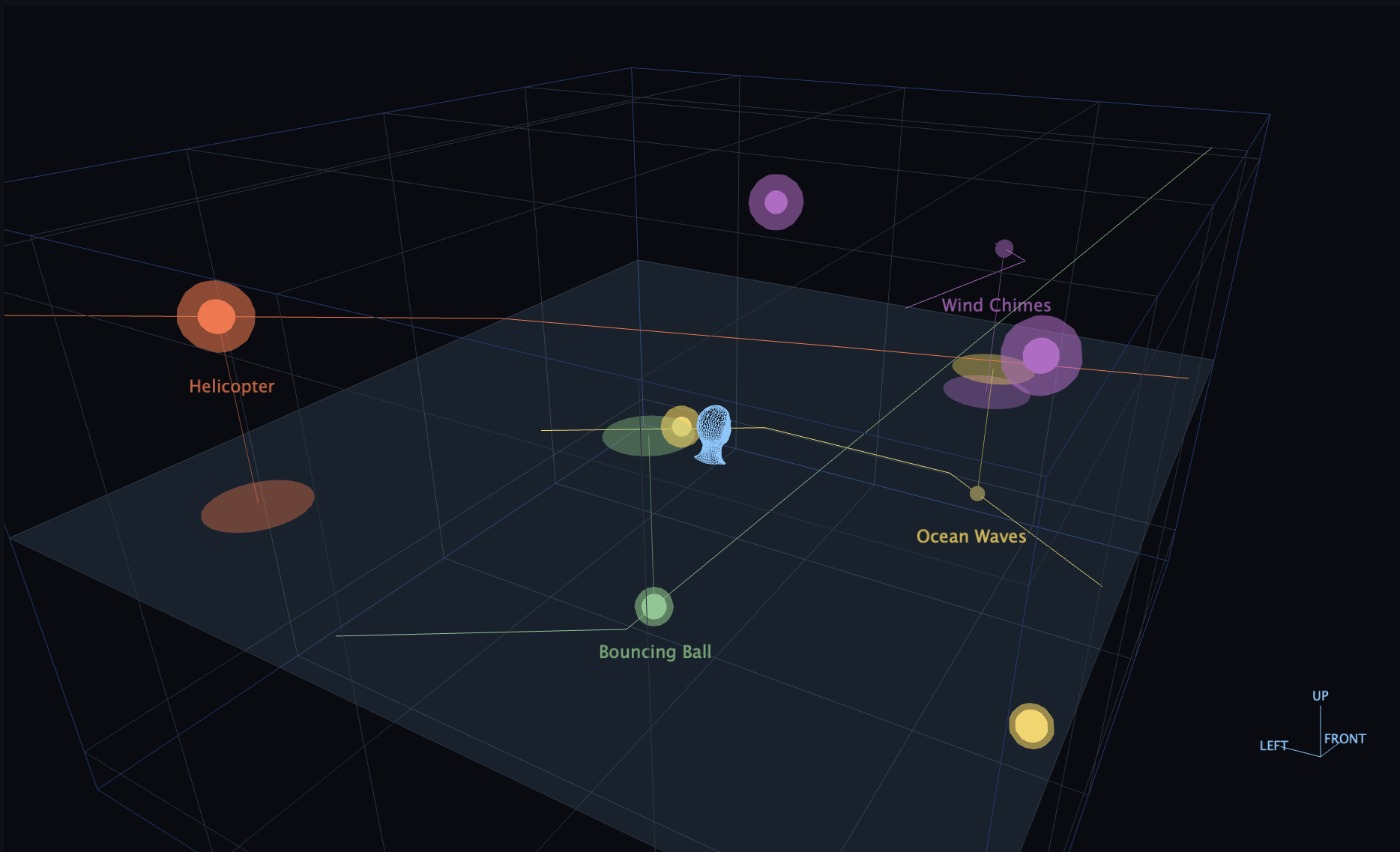
SGD turns a sound file into a gesture: a sound together with its motion through a virtual room around the listener. You draw the path on the room floor, lift it into three dimensions with an elevation curve, bend the timing with a motion curve, and bind the result to a MIDI key. Pressing that key does not merely play the sound, it sends it traveling — around you, overhead, past your ear.
SGD does not pan. It binauralizes every gesture against a physical model of the room, so on headphones the sound leaves your head, with distance, air, wall reflections and Doppler all following from the space you built. The whole spatial computation runs offline in the background, so playback itself costs almost nothing — and every gesture still keeps its own mixer strip with gain, three-band EQ and a send to the shared room reverb.
SGD is developed by a former employee of ZKM Karlsruhe and Dear Reality (acquired by Sennheiser), who has worked in spatial audio for over a decade.
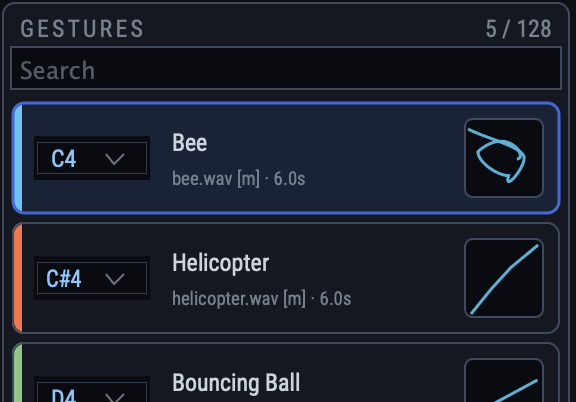
A sound, a path, a key
That is a gesture, and the list keeps all three together: the sound file it plays, a thumbnail of the path it flies, and the key it answers to. Pick a new key from the dropdown and the binding moves with it — up to 128 gestures in a room, each with its own color.
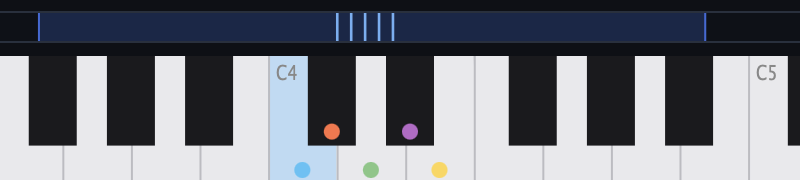
Play space like an instrument
Every gesture lives on a MIDI key, marked by its own color on the keyboard. Spatial sound design stops being an automation-lane chore and becomes something you perform live, from your DAW or the standalone application.
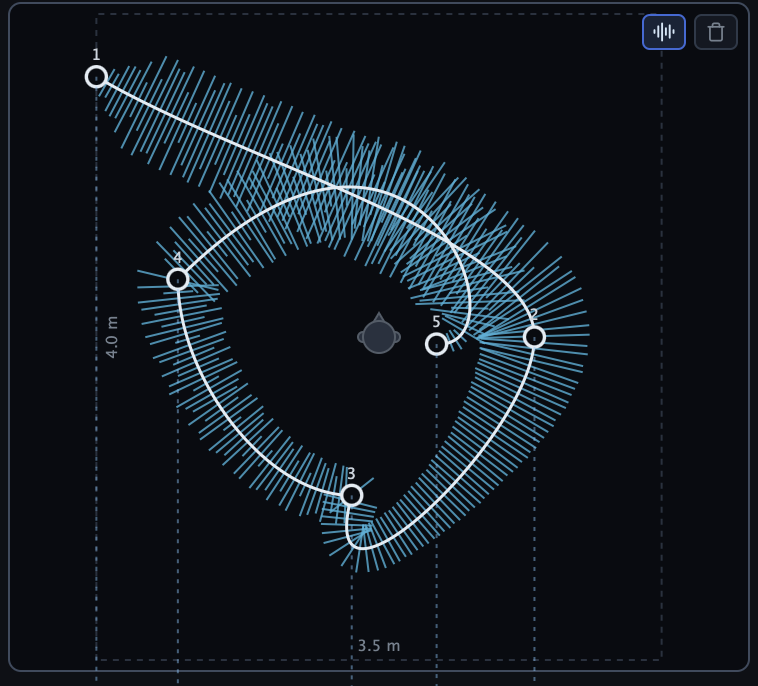
Draw the motion, sculpt the time
The waveform is painted along the trajectory, so you see which part of the sample happens where. The motion curve then lets the source rush, hesitate, freeze mid-air, or run the path backwards.
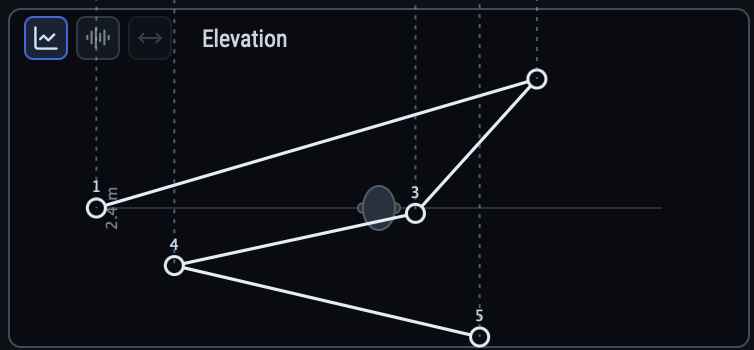
Lift it off the floor, stretch it wide
One editor, three curves. Elevation lifts the path over your head or drops it to your feet; the width curve spreads the two channels of a stereo file apart like wingtips, opening from a point into a wide wash and closing again.
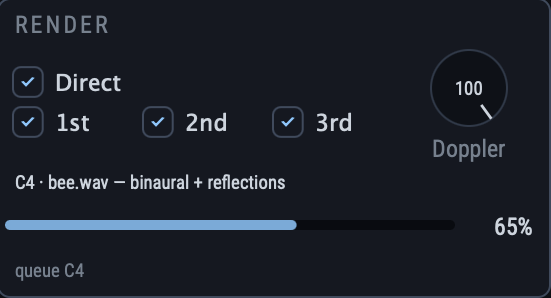
Sound that leaves your head
True binaural rendering, with distance, air absorption and up to three orders of wall reflections. Dial the reflections deeper for dense, vivid spaces, and set the Doppler shift of moving sources to taste.
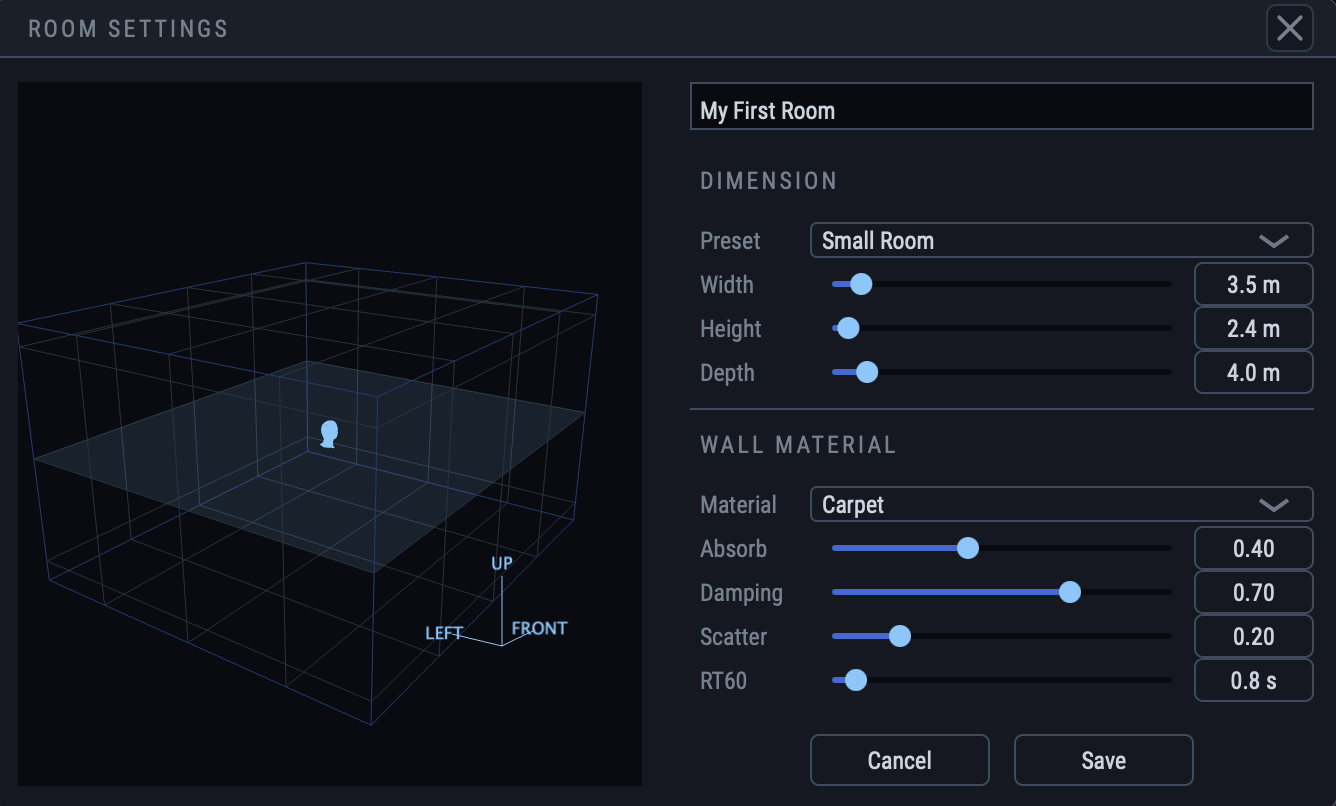
Rooms are real, and they are yours
Width, height and depth in meters, with a wall material of your choice — absorption, damping, scatter and RT60. Resize the room or swap concrete for carpet and the reflections, the reverb and every gesture adapt automatically. Rooms save as self-contained folders, samples included.
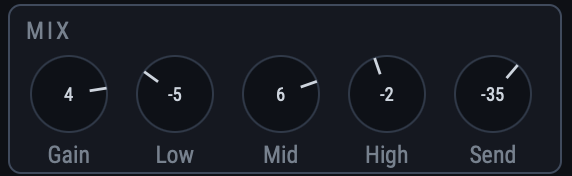
Every gesture keeps its own strip
Gain, three-band EQ and a send to the shared room reverb, per gesture. Nothing is ever rendered twice: reopen a room and it is instantly ready; tweak a curve and only that one gesture quietly re-renders while you keep working.
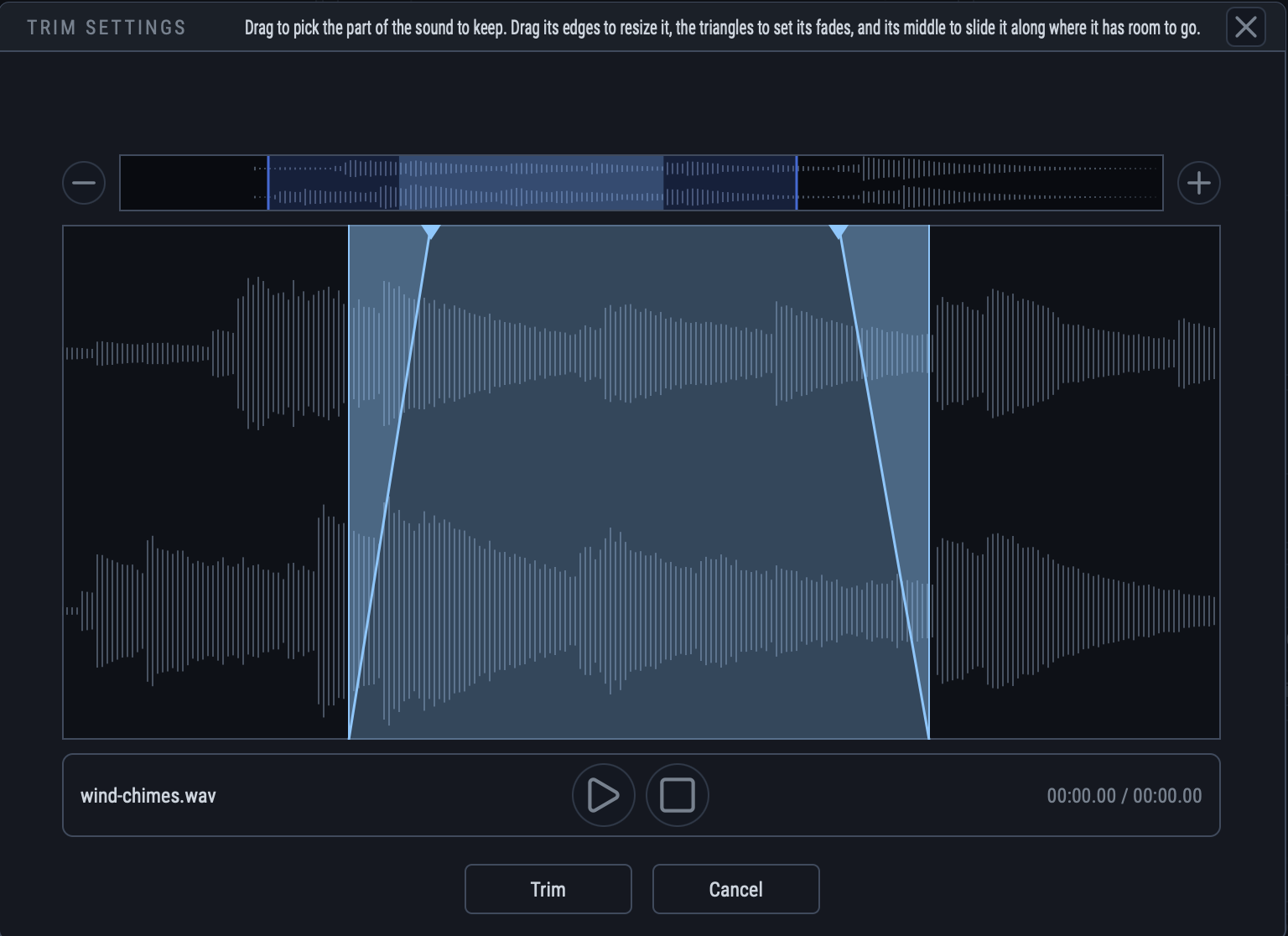
Only the part that flies
Drag over the waveform to keep the part of the sound you want, pull the triangles for fades, and slide the whole region along the file. The gesture and its painted trajectory redraw around whatever you keep.
Demos
Five screen recordings, each with the binaural output of SGD itself as its soundtrack. Step through them with the arrows — nothing plays until you press play, and only one plays at a time.
Put headphones on first
These clips are binaural: the whole point is that each ear hears its own signal. Over speakers both signals reach both ears, the cues cancel, and the sound just comes from wherever your monitors are — there is nothing left to demonstrate. On headphones the same file puts the source out in the room, behind you, above you, passing your ear.
Download
14-day free trial · every feature unlocked · no registration
User manual →Specs
- Platform
- macOS 11 (Big Sur) or later, Apple Silicon (ARM) only Windows 10 or later, 64-bit
- Formats
- VST3, AU, Standalone AU is macOS only AAX (Pro Tools) coming in v2.0
- Sample rates
- 44.1, 48 and 96 kHz only
- Tested hosts
- Logic Pro, Cubase, REAPER
The macOS build needs macOS 11 (Big Sur) or above and runs on Apple Silicon (ARM) only — there is no Intel build, and it will not run on Intel Macs, including under Rosetta. Sessions must run at 44.1, 48 or 96 kHz; other sample rates are not supported. The Windows build needs Windows 10 or later (64-bit) and comes as VST3 and Standalone.
Trial & license
SGD starts with a free 14-day trial. The trial is the complete plugin: every feature is unlocked for the whole period, with no watermark, no export limit and nothing held back. Starting it takes one click — no name, no email address, no registration.
When the 14 days are over, SGD keeps running and your rooms keep opening, but the plugin is muted — it produces no audio output until a valid license key is entered. Enter one at any time, before or after the trial ends, and the sound comes straight back. One key covers every machine you own — see how licensing works.